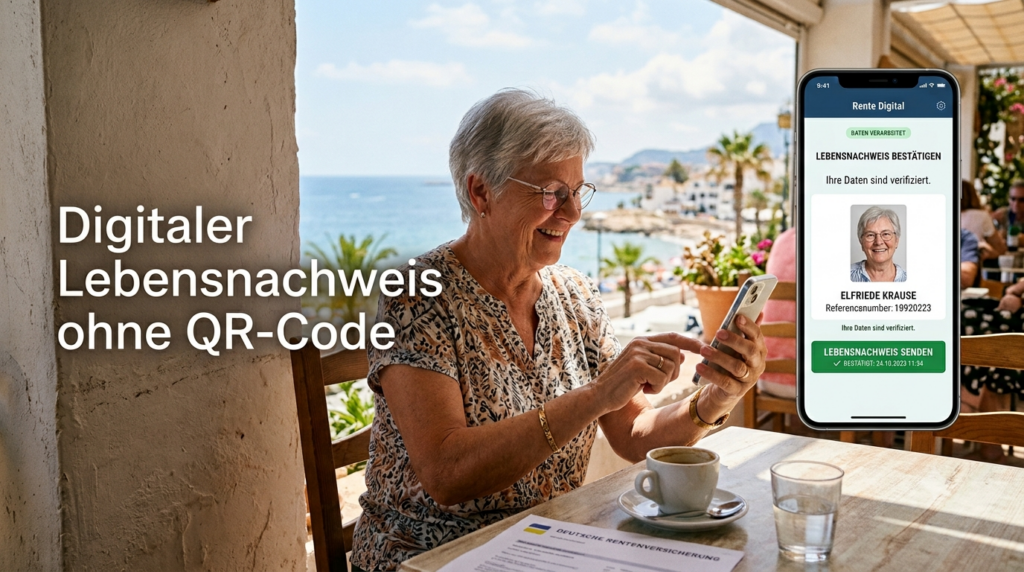
It’s frustrating when you have to do something like submit digital Certificate of Life without a QR Code, and you don’t receive the documents.
Anyone receiving a German pension while living abroad can complete the Digital Certificate of Life (DLN) even without the QR code from the letter sent by the German Pension Insurance (Deutsche Rentenversicherung). This saves time and provides peace of mind.
Video: Digital Certificate of Life without a QR Code
Language: 🇩🇪
☝️ Use YouTube subtitles for all languages.
Step 1 – Didn’t receive a letter? Take action anyway!
Do not rely on the statement: “If you have not received a request, you do not need to do anything.” This is not always true.
I have personally seen cases where pension payments to seniors were temporarily suspended even though they had never received the letter.
My advice: Complete the Digital Certificate of Life anyway. That way, you are on the safe side.
Although the postal service in Thailand is often more reliable than its reputation suggests—I personally have never had any problems—a letter can still be delayed or lost.
If you have not received a request for 2026, you can, based on my experience, use the QR code from a Deutsche Rentenversicherung letter from 2024 or 2025. The information contained in the QR code is almost identical from year to year, so the Digital Certificate of Life can usually be started with it.
If you no longer have an old QR code, you can download the “Certificate of Life” form from the Deutsche Post website and have it certified by the responsible German diplomatic mission abroad or—depending on the country—by another authorized authority (such as a local police station).
Information and the form are available at:
https://www.deutschepost.de/de/r/rentenservice/gesetzliche-rente/lnw.html
Although it is technically possible to modify the Digital Certificate of Life link manually, this is not intended for regular users. I strongly advise against doing so, as it may cause problems and prevent your Certificate of Life from being transmitted correctly.
Step 2 – Install or Open the App
Download the official Digital Certificate of Life (DLN) app from the Apple App Store or Google Play Store.
If the app is already installed, simply tap “Open.” If an update is available, you will also be prompted to install it. Complete the update before proceeding.
Step 3 – Start the Process
Open the app and select the option to complete the Certificate of Life without a QR code. Then follow the instructions displayed in the app.
Step 4 – Verify Your Identity
Verify your identity using the method offered by the app. Simply follow the on-screen instructions step by step.
Step 5 – Submit Your Information
Once your identity has been successfully verified, your data will be securely transmitted to Deutsche Rentenversicherung.
Step 6 – Check and Keep the Confirmation
After successful submission, you will receive a confirmation email. Keep this email in a safe place. It serves as proof that you have completed the Digital Certificate of Life.
Important: Make sure the email explicitly states:
“The Digital Certificate of Life was completed successfully.”
The wording “…was not completed successfully” looks very similar at first glance. Therefore, read the message carefully.
Conclusion
The Digital Certificate of Life only takes a few minutes and can save you from unnecessary problems. Especially if you live abroad, it is advisable to complete the process early and keep the confirmation email as proof.

Support / Donation Link for the Channel
If my posts have been helpful or supported you in any way, I’d truly appreciate your support 🙏
#DigitalCertificateOfLife #GermanPension #GermanPensionInsurance #ExpatLife #RetirementAbroad